Remove objects from photos with AI
Upload a photo, paint over what you want gone, and describe what should be there instead. The painted area is redrawn to match the light and colours around it; everything else stays exactly as it was.
Remove strangers, clutter, wires, signs or blemishes, or replace something with something new. It works with your free daily credits.
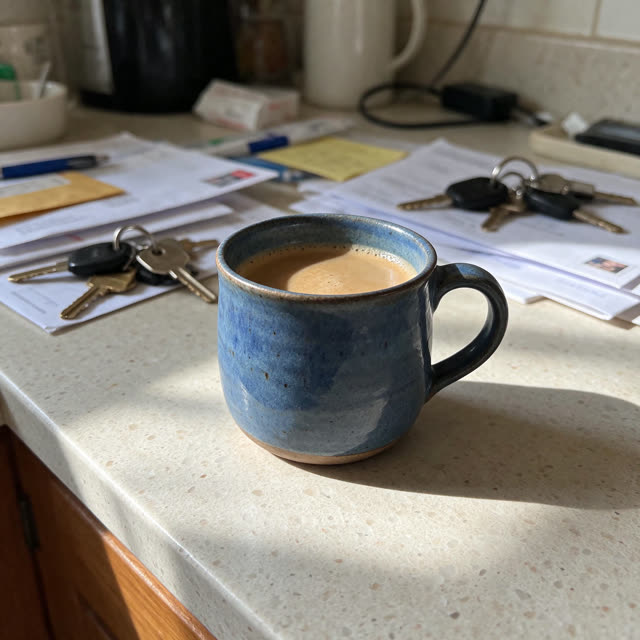 Before
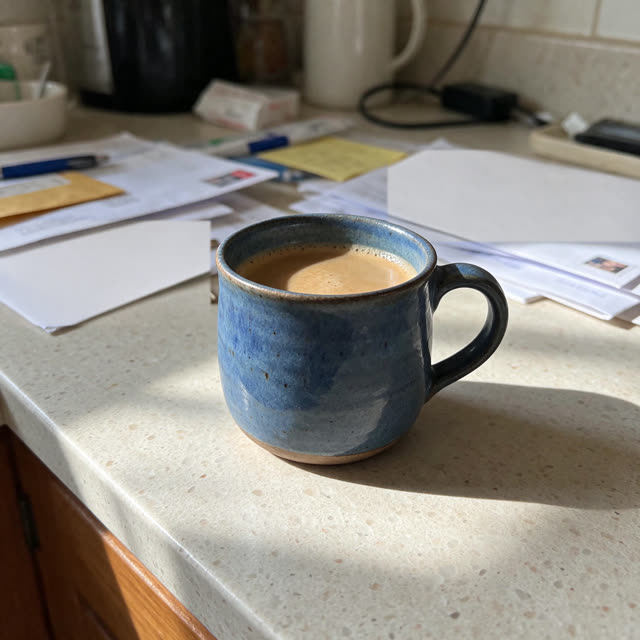 After
The model
How to use the object remover
-
Upload a photo
PNG, JPG or WebP up to 10 MB.
-
Paint over the object
Cover it fully, plus a little of its surroundings, so its outline and shadow go too.
-
Describe what should be there
Write the result, not the removal: "empty park bench", "clear blue sky", "plain wooden table". Then generate.
Prompt ideas
Frequently asked questions
Is it free?
Yes. Verified accounts get free credits every day, and object removal uses them at standard resolution.
Can I replace something instead of removing it?
Yes. Paint over it and describe the new thing: "a red ceramic mug", "a small potted plant".
Why is there a faint trace left?
Paint a little wider than the object and try again. Large objects sometimes need a second pass on the result.
What happens to the photo I upload?
It's used to make your image and deleted from our storage after 30 days. Results made from your photos are reviewed before they can appear in the public gallery.